AI Script to Anime Video
Turn scripts into anime episodes with AI. VoooAI locks cel-shading style, character palettes and eye-highlight patterns across every cut in 40-55s per scene.
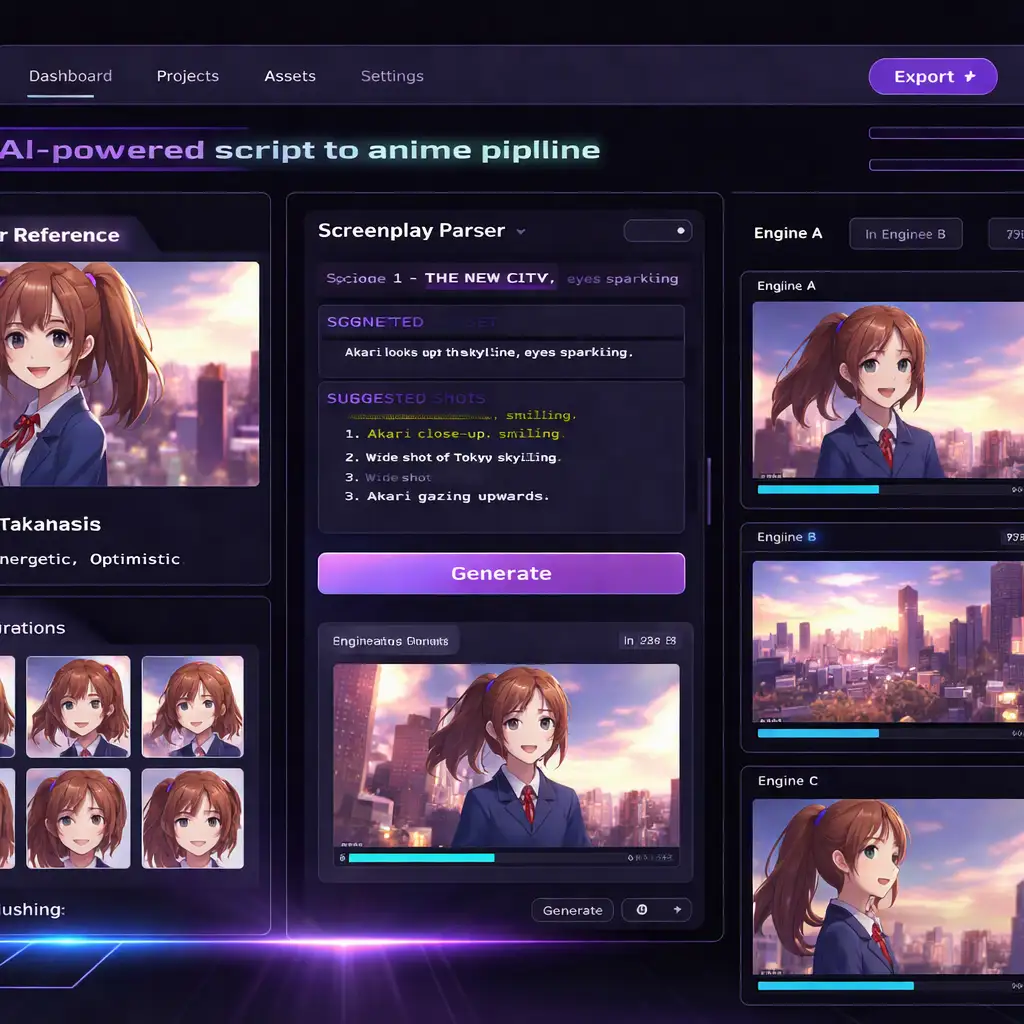
AI script to anime video is exactly what VoooAI's anime pipeline does: parse a written screenplay into scene-level shot lists, lock a cel-shaded character sheet across every frame, and render finished anime cuts through three parallel engines in 40-55 seconds per 60-second scene. No manual keyframing. No style drift between episodes.
The anime production market is growing fast. According to [Precedence Research's anime market analysis](https://www.precedenceresearch.com/anime-market), the global anime market reached approximately $3.1 billion in 2024 and is projected to surpass $7.8 billion by 2033, driven by streaming platform expansion and demand for localized content. That growth creates pressure on studios and independent creators to produce more episodes without sacrificing visual consistency — the exact bottleneck VoooAI's pipeline solves.
How the Anime Pipeline Works
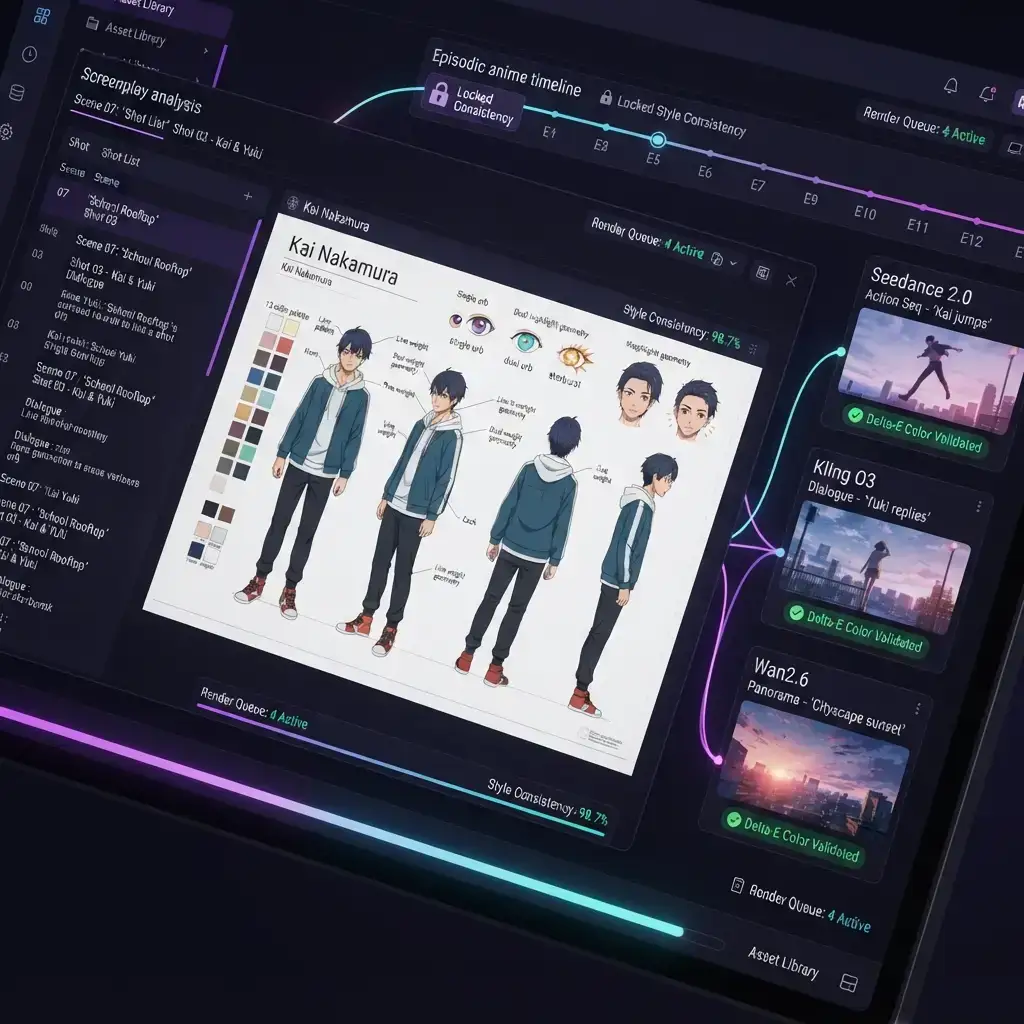
VoooAI's NL2Workflow engine ingests a screenplay in standard formats (Fountain, FDX, or plain text) and performs three operations sequentially. First, it segments the script into scenes and extracts a character roster with visual descriptors — hair color, eye shape, outfit details, signature accessories. Second, it generates a locked character sheet: a reference grid that pins cel-shading line weight (typically 2.5px at 1080p), a 12-swatch color palette per character, and eye-highlight geometry (single orb, dual orb, or starburst). Third, it routes each scene to the rendering engine best suited for its content type.
The three-engine routing is not random. Seedance 2.0 handles dynamic action sequences — fights, chases, transformation scenes — where motion blur and speed lines need consistent frame interpolation. Kling O3 takes dialogue-heavy close-ups, maintaining lip-sync accuracy and subtle expression shifts across 8-12 second shots. Wan2.6 renders sweeping background panoramas and establishing shots with parallax depth layers. Each engine receives the same locked character sheet, so a protagonist's jacket color never shifts between a fight scene and a conversation scene.
Style Consistency Across Episodes
The hardest problem in serialized anime production is style drift. A character designed in episode 1 looks subtly different by episode 5 — eyes get larger, line weight thins, palette saturates. VoooAI solves this with a persistent style anchor: the character sheet generated in pre-production stays locked for the entire series run. Every frame the engines produce is validated against the anchor's color distance threshold (Delta-E < 3.0) before it enters the edit timeline.
According to [Mordor Intelligence's anime industry report](https://www.mordorintelligence.com/industry-reports/anime-market), Asia Pacific accounts for over 60% of global anime consumption, with OTT platforms like Crunchyroll and Netflix Anime commissioning 40+ new series annually. Each series demands 12-24 episodes of visually consistent content. Traditional studios solve this with armies of in-between animators and style supervisors. VoooAI's pipeline compresses that supervision layer into an automated validation step.
Who This Is For
Three creator profiles get the most from AI script to anime video workflows. Independent animators producing 3-12 episode web series on YouTube or Bilibili can maintain broadcast-grade consistency without a 10-person team. Small studios handling 2-3 simultaneous commissions can parallelize rendering across engines and deliver episodes 4x faster than manual production. Content marketers building anime-style brand narratives (think product mascots or explainer series) get studio-quality output from a text brief.
The generative AI infrastructure powering this is no longer experimental. According to [Precedence Research's generative AI market forecast](https://www.precedenceresearch.com/generative-ai-market), the global generative AI market is projected to grow from $25.7 billion in 2024 to over $136 billion by 2033, with video generation among the fastest-expanding subsegments. VoooAI sits at the intersection of that growth: multi-engine orchestration that would have required custom infrastructure two years ago now runs through a browser-based workflow canvas.
Practical Production Numbers
A 12-episode anime web series with 3-minute episodes takes roughly 4-6 hours of total compute time through VoooAI's pipeline. That includes character sheet generation (one-time, ~8 minutes), per-scene rendering (40-55 seconds each), and automated consistency validation. Re-rendering a single scene after script edits takes under 60 seconds and does not affect other scenes — the style anchor persists.
Compare that to traditional production: a 3-minute anime episode with one action sequence typically requires 2-4 weeks of studio time with a team of 6-12 animators. The cost delta is not 10% or 20% — it is an order of magnitude.
Audio and Voice Integration
Visuals are only half of a finished anime episode. VoooAI's pipeline includes an audio layer that generates character voice tracks, background music, and sound effects synchronized to the rendered cuts. Voice synthesis supports Japanese, English, and Chinese with per-character voice profiles — pitch, tempo, and emotional range stay consistent across the entire series, matching the same way the visual style anchor locks appearance. Lip-sync alignment runs automatically: because dialogue scenes route to Kling O3, the engine receives phoneme timing data from the voice track and adjusts mouth shapes frame by frame, eliminating the manual ADR pass that traditional studios schedule after animation locks.
Background music and sound effects are generated to match scene intensity curves. Action sequences get percussive, high-BPM tracks with impact hits timed to keyframe peaks. Dialogue scenes receive ambient beds that stay below the voice frequency range. Creators can swap any generated audio stem — voice, music, or SFX — without triggering a visual re-render, since audio and video timelines are decoupled inside the project file.
Writing Prompts for Better Anime Output
Input quality drives output quality. Scripts that describe visual action rather than internal monologue produce dramatically better results — the pipeline translates concrete visual descriptions into shot composition, while abstract narration has no direct visual mapping. Specify character entrances and exits explicitly, note camera intent where it matters (close-up, wide establishing shot, over-the-shoulder), and describe environmental conditions like time of day and weather. These details feed directly into engine routing decisions: a rain-soaked rooftop confrontation at dusk routes differently than the same confrontation in daylight, with Seedance 2.0 receiving additional motion parameters for rain particle simulation and wet-surface reflections.
For serialized productions, maintain a series bible document alongside your scripts. List each character's visual traits once, reference them by name in subsequent episodes, and the pipeline reuses the locked character sheet instead of regenerating it. This keeps episode-to-episode identity stable even when scripts are written by different contributors.
Getting Started
Upload a screenplay or paste script text into VoooAI's workflow canvas. The NL2Workflow engine auto-detects scene boundaries and character dialogue, generates the character sheet for your approval, then queues all scenes for parallel rendering across the three engines simultaneously. Creators can review and adjust the character sheet before full production begins — swap a color palette, adjust line weight, change eye-highlight style, or regenerate a single character's reference grid without affecting others. Once locked, the pipeline runs unattended and delivers episode-ready cuts with embedded timecode metadata for downstream editing in DaVinci Resolve or Premiere Pro.
For creators exploring broader script-to-video workflows beyond anime, VoooAI's [Script to Video AI](https://voooai.com/script-to-video) hub covers live-action, motion graphics, and hybrid pipelines with the same multi-engine architecture.
Frequently Asked Questions
How long does it take to generate one anime episode with AI?
A 3-minute anime episode renders in approximately 4-6 minutes of compute time through VoooAI's three-engine pipeline. That includes scene parsing, character sheet validation, and per-shot rendering at 40-55 seconds per 60-second scene.
Can AI keep anime characters consistent across multiple episodes?
Yes. VoooAI locks a character sheet with fixed line weight, 12-swatch color palette, and eye-highlight geometry at pre-production. Every rendered frame is validated against this anchor with a Delta-E < 3.0 color distance threshold before entering the timeline.
What script formats does the AI anime generator accept?
VoooAI accepts Fountain (.fountain), Final Draft (.fdx), Celtx exports, and plain text. The NL2Workflow engine auto-detects scene boundaries and character dialogue regardless of input format.
What anime styles can VoooAI produce?
The pipeline supports standard cel-shading (TV anime look), soft-shading (movie-quality gradients), and watercolor-edge styles. Line weight, palette saturation, and highlight geometry are adjustable per project before the character sheet locks.
Is AI script to anime video suitable for commercial distribution?
Yes. Output resolution reaches 1080p at 24fps with broadcast-grade color consistency. Creators on VoooAI have produced series for YouTube, Bilibili, and OTT platform pitches. The locked style anchor ensures episode-to-episode uniformity that platform QC teams require.