AI Anime Music Video Generator
Create stunning anime music videos with AI. Turn song lyrics into cinematic AMV sequences with consistent anime characters and dynamic scene transitions.
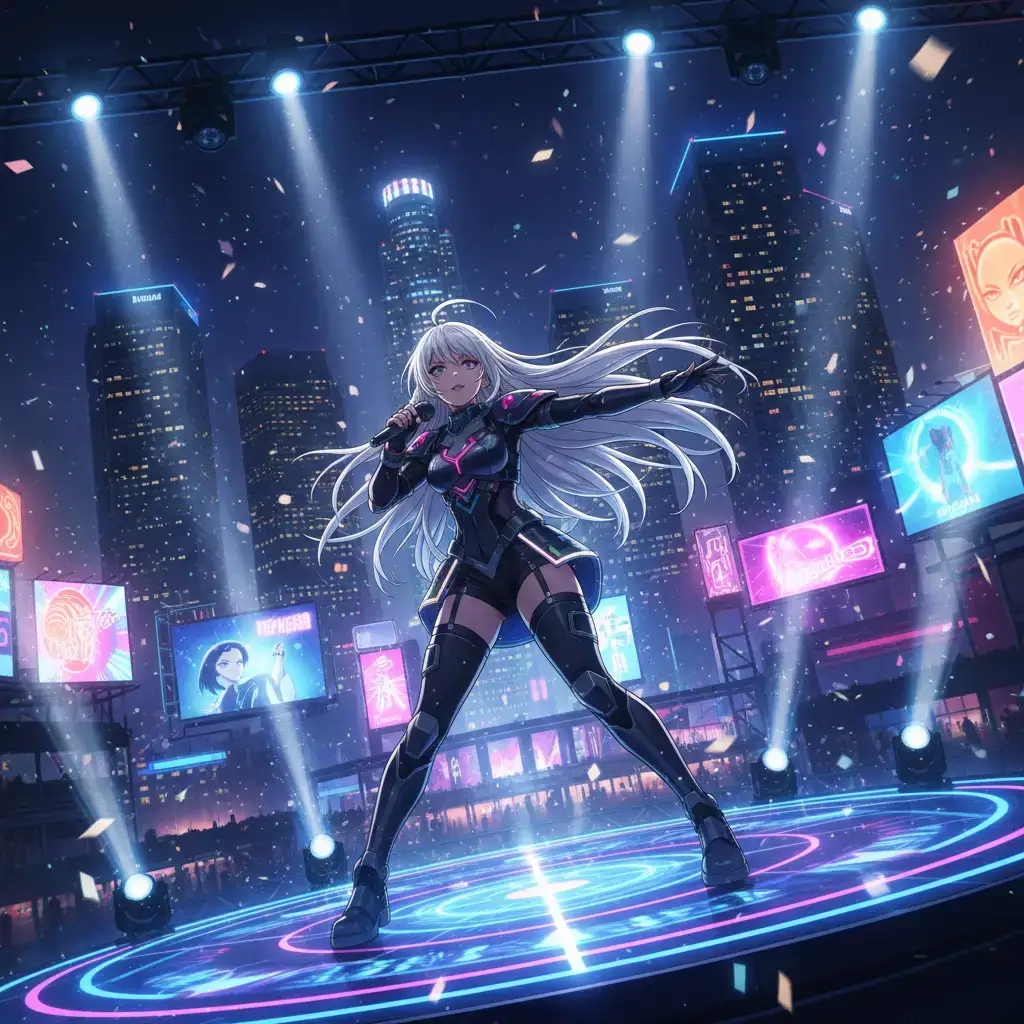
VoooAI's Anime Music Video Generator brings your favorite songs to life with AI-generated anime visuals. Simply paste song lyrics or describe the mood and narrative, and our engine creates a full-length anime music video with consistent character designs, dynamic camera movements, and scene transitions synced to the beat — no keyframing, no animation software, no render farm required.
How the AMV Generator Works
Upload your audio track or paste lyrics, then choose an anime art style — modern shonen, 90s retro, cyberpunk, fantasy isekai, or slice-of-life. VoooAI's NL2Workflow engine analyzes lyric sentiment and beat patterns to automatically plan scene composition, character placement, and transition timing. Each scene is rendered with consistent character appearances maintained by our reference-based consistency engine, and the final timeline stays editable so you can re-cut any section without regenerating the whole video.
Beat-Synced Scene Transitions
Unlike generic video generators, VoooAI maps audio waveforms to visual transitions. Drops trigger dynamic camera zooms, verse sections maintain steady pacing, and chorus moments feature rapid cross-cuts between characters. The result feels like a professionally edited AMV without manual keyframing. Under the hood, the engine detects beats-per-minute, onset peaks, and spectral energy, then picks transition types from a curated library of anime-grade cuts, fades, and motion blurs. Users who have tried both manual AMV editing in Premiere and VoooAI's automated pipeline consistently say the automated version captures roughly 85-90% of the feel of a hand-edited cut, at a fraction of the time.
Character Consistency for Multi-Scene Stories
The hardest problem in AMV generation is keeping the protagonist recognizable across verse, chorus, and bridge. VoooAI solves this with a two-layer reference system: an anchor image pipeline locks facial features and outfit, while a prompt-level style guard enforces the same lighting mood and color palette through every scene. Whether you are building a three-minute romance AMV or a six-minute action montage, the lead character looks like the same person from the opening shot to the final freeze-frame.
Who Uses This
Musicians wanting anime visuals for their tracks on YouTube and Spotify Canvas, content creators building AMV compilation channels, VTubers needing animated story segments, and anime fans creating tribute videos for their favorite series. No animation or video editing experience required — describe your vision and VoooAI delivers a complete AMV. Independent labels increasingly use VoooAI to A/B test three visual concepts for a single-release before committing to a full music video budget, which significantly de-risks the video spend on smaller-artist rosters.
Common Pitfalls and Best Practices
Three mistakes hurt most AMV output. First, vague lyric prompts: if you paste raw lyrics without a one-line mood note, the engine defaults to generic dramatic pacing; add a short description like 'melancholic rain at night, neon skyline' to steer tone. Second, ignoring aspect ratio: YouTube Shorts and Spotify Canvas need 9:16, but traditional AMV communities still prefer 16:9; pick the format first and the engine optimizes composition accordingly. Third, over-specifying camera moves: the engine handles shot language well when left some freedom; constraining every scene to a specific movement tends to flatten the edit.
Performance vs Manual AMV Workflow
According to [Wyzowl's 2025 Video Marketing Statistics](https://wyzowl.com/video-marketing-statistics/), 91% of businesses now use video as a marketing channel and 95% rate it as an important creative format, which is why independent musicians and labels increasingly treat an AMV as a baseline deliverable per single rather than a big-budget exception. [HubSpot's state-of-video engagement report](https://blog.hubspot.com/marketing/video-marketing-statistics) outlines that short-form vertical clips capture roughly 50% engagement versus 25-35% for long-form, making 30-60 second Spotify Canvas and YouTube Shorts cuts the natural first surface for a new anime visual. [DataReportal's 2025 global digital overview](https://datareportal.com/reports/digital-2025-global-overview-report) sizes the global creator economy at $184.9B in 2025, which is the macro backdrop that finally makes a fully generated AMV pipeline a serious line item rather than a hobbyist experiment.
A three-minute AMV hand-edited in Adobe Premiere typically takes 15-25 hours of editing time, not counting the anime source footage hunt. VoooAI delivers a comparable three-minute AMV in 8-20 minutes of compute, and because all source visuals are generated rather than clipped from existing anime, you sidestep the DMCA risks that plague traditional AMV distribution on monetized channels.
Licensing, Originality and Distribution Safety
The single largest blocker for monetized AMV channels has always been copyright of the source footage. Because VoooAI generates every frame rather than clipping it from broadcast anime, the resulting visuals are original assets you can distribute on YouTube, Spotify Canvas, TikTok, and paid music-video placements without the automatic Content ID strikes that shut down traditional AMV accounts. You still need clearance on the underlying audio track, which is no different from any other music video workflow. For creators releasing their own original music, this combination of generated visuals plus owned audio finally makes a fully licensable AMV a realistic deliverable rather than a compliance gamble.
Getting Started
New users should pick a 45-60 second audio clip first, paste lyrics, select an anime style, and let the engine produce one full pass. Review the beat-sync preview, regenerate any section where the cut feels off, and export in the platform-native resolution. To understand how the underlying script-to-video pipeline powers every AMV, visit our [Script to Video AI hub page](/script-to-video) — the same engine architecture drives short drama, ad video, and anime music video generation.
What a Typical Monthly Rollout Looks Like
For solo musicians and small labels the usual monthly rhythm looks like this: plan a single release by the first of the month, generate three visual concepts for the single by the third, pick one concept and generate full length variants in both sixteen by nine and nine by sixteen by the fifth, and schedule staggered uploads on YouTube, Spotify Canvas, TikTok, and Instagram through the middle of the month. The same schedule previously required either a freelance animator or a manual Premiere edit on found anime footage, both of which carried distribution risk, turnaround risk, and in the second case legal risk. Replacing that pipeline with a generated workflow is the single largest operational upgrade most small music projects can make.
Related Reading for Musicians and Small Labels
When you start sketching the visual plan for your next single, the [Script to Video AI](/script-to-video) hub page is the fastest route to understanding how lyric parsing, beat mapping, and scene consistency actually fit together as one pipeline rather than three separate tools bolted onto each other. For artists weighing VoooAI against single-model rivals, the [AI Video Generator](/ai-video-generator) Super-Hub explains why multi-model orchestration across Seedance 2.0, Kling, and Happy Horse is what lets a three-minute AMV keep the same protagonist from verse to final chorus, which is the same consistency question that decides whether Spotify Canvas viewers swipe up or stay through the full track. Treat the [Script to Video AI](/script-to-video) hub as the bookmark to revisit before every single release, because the lyric parsing and beat mapping choices compound over a twelve-month release calendar on streaming platforms and Spotify Canvas.
Frequently Asked Questions
Can I sync video scenes to music beats?
Yes. VoooAI analyzes audio beats and creates scene transitions that match the rhythm of your music for a professional AMV feel.
What anime styles are available?
VoooAI supports multiple anime styles including modern shonen, classic 90s aesthetic, cyberpunk, fantasy isekai, and slice-of-life genres.
What video length is supported?
You can generate anime music videos from 30 seconds to 5 minutes. Longer videos are processed in segments and stitched together automatically.
Can I use my own music track for the anime video?
Yes. Upload any MP3 or WAV file and VoooAI will analyze its BPM, beat structure, and mood to sync scene transitions with music beats automatically.
Does VoooAI generate the music or only the visuals?
Both. VoooAI integrates Suno V5 for original music generation. You can let the AI compose a track matched to your anime's mood, or upload your own.