TikTok Short Drama Template
Ready-to-use TikTok short drama template. 3-episode vertical video series with preset character styles, scene transitions and cliffhanger structure.
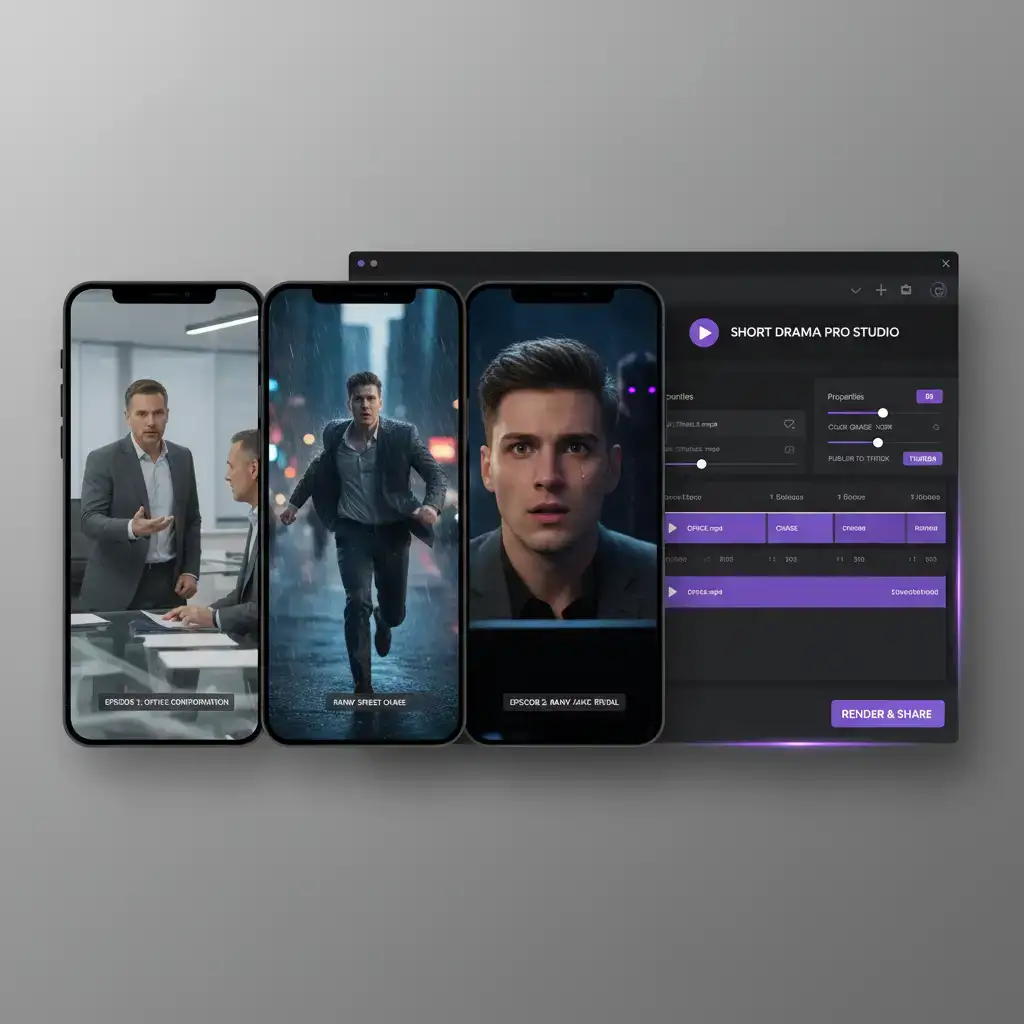
Template Details
This ready-to-use VoooAI template is designed specifically for TikTok short drama creators. It packages a 3-episode vertical video structure with built-in cliffhanger pacing, consistent character presets, and scene transitions optimized for mobile viewing into a single reusable workflow. Load the template, describe your story in one sentence, and let the NL2Workflow engine plan, render, and assemble a complete series that is ready to publish.
What This Template Includes
The template ships with a pre-configured 3-episode arc that follows the classic setup, confrontation, and payoff curve. Character presets ensure the same face, wardrobe, and art style persist across all episodes through VoooAI's reference-image consistency pipeline. Scene transitions use hard cuts, whip pans, and match cuts tuned for short attention spans, and a built-in cliffhanger engine places a hook at the end of each episode to pull viewers into the next one. The included shot plan gives you coverage variety: close-ups for emotional beats, wide establishing shots for location changes, and over-the-shoulder frames for dialogue exchanges.
How to Use It
Click 'Use Template' in VoooAI's workflow editor, type your one-sentence story premise, and hit generate. The engine automatically splits your concept into 3 episodes of 3-5 scenes each, drafts scene-level prompts for every shot, renders consistent character visuals, and edits the final vertical video. Every step stays inspectable: open the underlying node graph, tweak any prompt, swap a visual model, or re-render a single scene without regenerating the whole series. A typical first run completes in minutes, and iterative refinements take seconds per scene.
Why Three Episodes Works on TikTok
TikTok's recommendation system rewards completion rate and watch time, and serialized content compounds both. A 3-episode structure is the smallest unit that supports a full narrative arc: viewers get closure in episode one, a reason to follow in episode two, and a payoff in episode three. Because each episode ends on a cliffhanger, the series nudges viewers toward the next video, building watch-session depth that flat one-off clips cannot match. This binge mechanic is exactly why short drama accounts outperform single-video creators in retention metrics.
Character Consistency: The Make-or-Break Factor
Character drift is the fastest way to lose a TikTok audience. The moment the protagonist's face shifts between episodes, viewers stop trusting the story and swipe away. VoooAI solves this with a two-layer consistency system: a reference-image pipeline locks facial geometry, hair, outfit, and wardrobe color across every shot, while a prompt-level style guard injects identical lighting keywords, camera language, and color grading into each generation call. The result is a series where episode 3 looks like it was shot on the same day as episode 1, even though every frame was generated independently.
Pacing, Hooks, and Cliffhangers
Short drama pacing runs on a different clock than traditional video. Each scene is timed to the 15-30 second attention window: a cold open lands the first story beat within three seconds, a mid-scene hook at roughly sixty percent keeps viewers from leaving, and an end-of-episode cliffhanger manufactures the reason to watch the next installment. The template encodes these timings directly into the shot plan, so you do not have to think about retention math while you are creating. You can adjust episode count, scene length, and hook strength from the workflow editor at any time.
Vertical Format Best Practices
Every output is rendered at 1080x1920 vertical resolution with framing that survives TikTok's UI overlays. Key action stays inside the center safe zone, subtitles and captions are placed in the lower third, and faces remain centered so the interface never obscures the performance. Lighting and color grading are locked across the series so episode-to-episode jumps feel continuous, and each episode opens with a sound-first second to capture viewers scrolling with audio on. These details are part of the template, not afterthoughts.
Repurposing One Series Across Platforms
A single three-episode series does not have to live only on TikTok. Because every scene renders from the same locked character pipeline, exporting alternate cuts costs almost nothing: the same footage re-frames into YouTube Shorts with a two-second longer cold open, into Instagram Reels with caption burn-in, and into a stitched full-length cut for your channel page. The template keeps a platform master per series, so subtitles, safe zones, and hook timing adjust per destination while the story stays identical. Creators who repurpose this way turn one production cycle into three or four publishing calendars, which is exactly the leverage solo accounts need to compete with studio-backed drama channels. The consistency system matters most here: viewers who discover episode one on Shorts and episode two on Reels still recognize the same protagonist instantly, and that recognition is what converts scattered impressions into loyal followers who return for the next installment.
Monetizing Your Series
Serialized dramas open monetization paths that one-off clips do not: longer watch sessions raise RPM on ad revenue, a following built on story continuity supports affiliate and sponsored integrations, and a completed series can be repackaged as a longer cut for YouTube or a landing page asset for your own funnel. The template's consistent output also makes licensing and distribution cleaner, because every episode shares the same visual identity.
Who Should Use This Template
The template fits solo creators starting a serialized drama account, agencies producing vertical content for multiple clients, and brands testing episodic narrative campaigns. No editing experience is required: the workflow handles planning, generation, and assembly, while you stay in control of the story. If you already produce short-form content, the template compresses your production time and removes the consistency bottleneck that manual editing cannot solve.
Getting Started
Open VoooAI, select the TikTok Short Drama Template, and start with a premise that fits three episodes: a reveal, a conflict, a resolution. Refine the character presets once, then let the engine carry the consistency across the series. Independent surveys reinforce the format: according to [OptinMonster's video traffic impact statistics](https://optinmonster.com/video-marketing-statistics-what-you-must-know/), 91% of marketers say video marketing has increased their website traffic, which is exactly the dividend a serialized TikTok drama compounds episode over episode. For deeper workflows, bookmark the [Script to Video AI](/script-to-video) hub as your canonical reference and explore the [workflow comparison](/workflow-comparison) matrix when weighing orchestrated multi-engine production against single-model tools.
Use This Template
Load into workflow editor with one click, customize and generate videos
Use Template FreeFAQ
How do I customize this template?
Click 'Use Template' to load it into VoooAI's workflow editor. You can modify character descriptions, episode count, scene styles, and output format.
Can I change the number of episodes?
Yes. Open the workflow editor and adjust the episode count node; the cliffhanger engine automatically re-times the hooks for the new structure.
Does the template keep characters consistent across episodes?
Yes. Character presets lock facial geometry, wardrobe, and color grading through the reference-image pipeline and prompt-level style guards, so episode 3 matches episode 1.