AI Script to Anime Video Prompt Template
Anime prompt template with character consistency pipeline (Wan2.6, Seedance 2.0, Kling O3), style token system, and frame-by-frame motion control for VoooAI.
Template Details
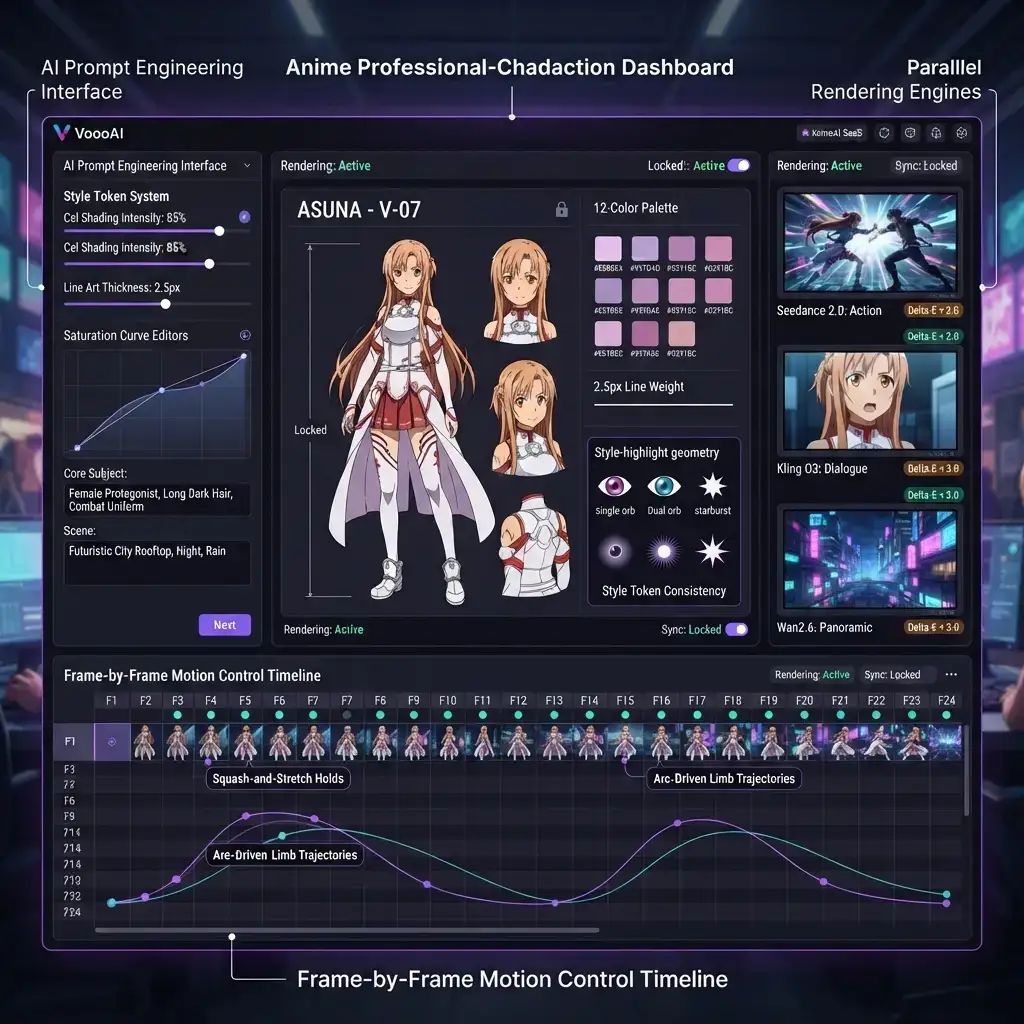
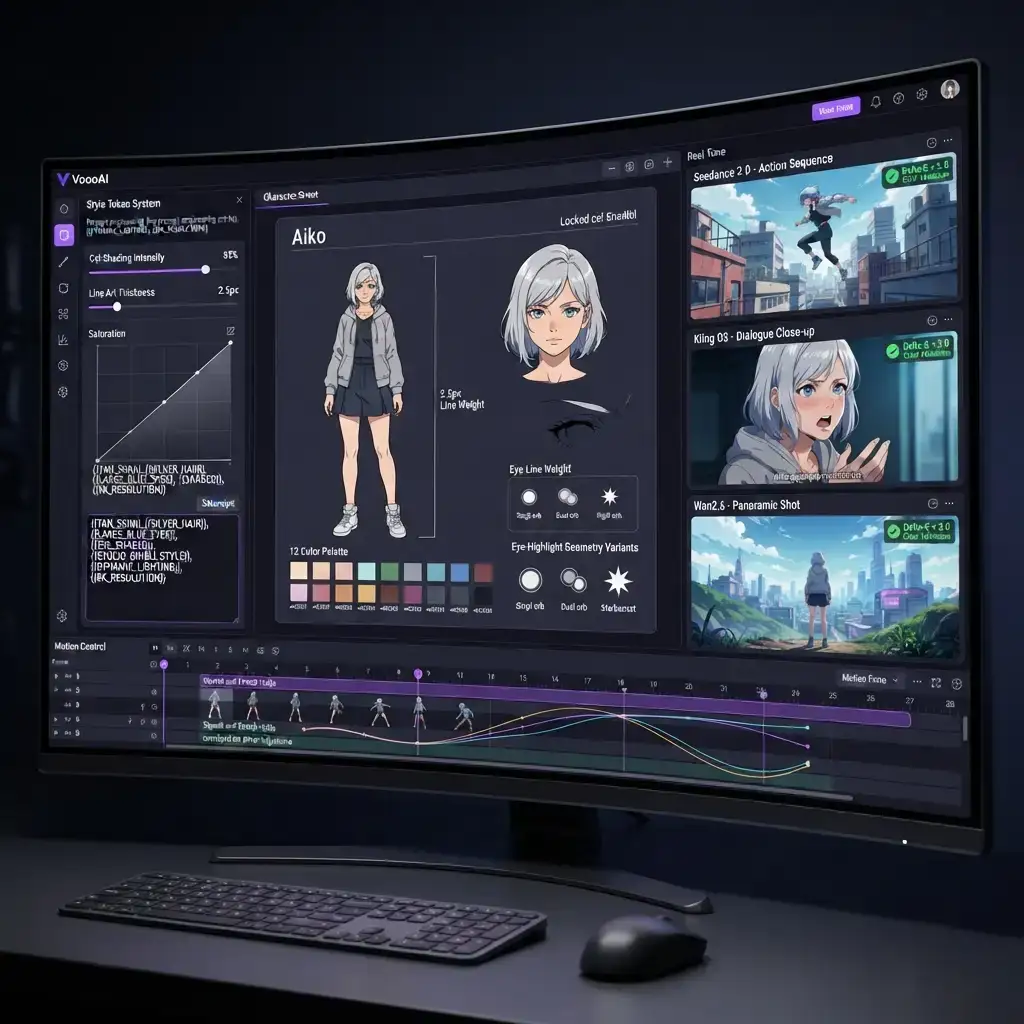
This specialized VoooAI template is engineered exclusively for anime video production, focusing on prompt-level control over character consistency, style tokens, and motion choreography across multi-engine pipelines. It is built for creators who need studio-grade repeatability: every generated clip carries the same locked character sheet, the same style tokens, and the same validated color behavior, whether it is rendered by Wan2.6, Seedance 2.0, or Kling O3.
Why Prompt Engineering Matters for Anime Production
Anime production demands precision that generic prompts cannot deliver. A single character shift in facial geometry or color palette cascades into visible inconsistency across episodes, destroying viewer retention faster than any other quality issue. That is not a subjective concern: the [VBVR-Pro benchmark suite](https://arxiv.org/abs/2608.26105), which stresses more than 30 generators across 300 procedurally generated tasks, concludes that video generation is the strongest substrate precisely for work demanding persistent spatiotemporal state tracking — and holding one character sheet stable across a whole arc is exactly such work. Generic video tools treat every request as an isolated generation, so the second clip never remembers the first. This template inverts that model: it treats the character sheet and style tokens as the source of truth, and every scene prompt is assembled from that source, which keeps output coherent across an entire arc rather than a single shot.
The Three-Engine Style Lock System
Unlike single-engine tools like Pika or Runway that offer no cross-clip style persistence, this template assigns each scene type to the engine best suited for it while maintaining locked character sheets across all outputs. Action sequences route through Seedance 2.0, dialogue-heavy scenes use Kling O3, and wide panoramic shots leverage Wan2.6. The [Seedance 2.0 model card](https://arxiv.org/abs/2604.14148) is explicit that the model is a unified multimodal audio-video generator taking text, image, audio and video references — up to three video clips, nine images and three audio clips per call — which is what lets a locked character sheet survive the hand-off between engines. The style lock does not mean one visual language everywhere; it means every engine receives the same character reference, the same token set, and the same validation threshold, so three different engines can render three different scene types and still produce frames that belong to the same show.
Style Token Architecture
The template introduces a token-based style system where visual properties such as cel shading intensity, line art thickness, saturation curves, and highlight geometry are encoded as reusable tokens that persist across episodes. Instead of retyping a long style paragraph in every prompt, you define the token set once and reference it everywhere. Tokens also make iteration cheap: adjust a single slider, and every downstream scene prompt updates automatically. This is the same pattern professional studios use for style guides, adapted for AI-native production.
Frame-by-Frame Motion Control
Static consistency is only half of anime quality; motion must read as intentional. The template includes a frame-by-frame motion control timeline where you define key poses, squash-and-stretch holds, and arc-driven limb trajectories. Each motion event is expressed as a structured instruction that the generation engine follows, so action beats land on the exact frames you plan instead of being left to chance. This level of control is what separates a template that produces clips from a template that produces choreography.
Delta-E Color Validation
Color drift between shots is invisible to casual viewers but immediately obvious to anime fans. The template runs Delta-E validation on every rendered frame, comparing it against the locked palette of the character sheet. Frames that drift beyond the Delta-E 3.0 threshold are flagged for re-render before they ever reach the timeline. Automated validation removes the manual color-checking pass that slows down traditional anime pipelines and keeps multi-engine output visually unified.
Workflow Automation for Anime Creators
This template fits directly into batch production pipelines: save a winning arc as a personal preset, swap the seed sentence, and regenerate the next episode. The underlying node graph stays fully editable, so teams can version prompts, share style tokens, and hand off scenes between members without losing the consistency chain. For studios producing weekly episodes, the template turns a multi-day manual pipeline into a repeatable one-button flow. According to Precedence Research's anime market analysis, the global anime market is projected to grow from roughly 98.3 billion dollars in 2026 to 220.4 billion dollars by 2035 at a 9.4 percent compound annual growth rate, and production automation is a large part of how studios will scale to meet that demand.
Prompt Examples
A practical example: instead of 'anime fight scene', the template expands a scene token into a full instruction such as 'Seedance 2.0 action sequence, character from locked sheet, cel shading 85 percent, line weight 2.5 pixels, dual-orb eye geometry, arc-driven limb trajectory, Delta-E under 3.0 against locked palette'. Copying this level of structure manually for every scene is impractical, which is exactly why the token system exists. The template ships with a starter library of these expanded prompts you can remix for your own stories.
Building a Reusable Arc Library
Every finished episode adds value beyond the video itself. When an arc works - its shot mix, its pacing curve, its token balance - the template lets you save the entire node graph as a named preset, including scene routing, motion timelines, and validation thresholds. The next episode starts from that preset with only the story text swapped, which is how weekly anime channels keep a release cadence without studio headcount. Over a season, the arc library becomes the production memory of the show: junior contributors load proven presets instead of guessing at prompt structure, and style decisions stop being re-litigated episode after episode. Because tokens are numeric and versioned, rolling back a style change that reads wrong is a one-step revert rather than a weekend of re-prompting, and the library itself becomes an asset you carry into the next series.
Who Should Use This Template
Anime YouTubers producing serialized fan content, indie animation studios moving to AI-assisted pipelines, and marketing teams that need character-consistent anime style videos for campaigns all benefit from this template. It is also the right starting point for developers building anime generation features, because the token system and validation hooks expose clean integration points. If your project involves more than one scene of anime output, the consistency guarantees pay for themselves in saved re-renders.
Getting Started
Load the template in VoooAI, import or generate a character sheet, define your style tokens, and describe the episode you want. Let the engine assign scene types to the appropriate renderers, then review the Delta-E report before exporting. The business case is broad: according to [Shopify's video marketing ROI survey](https://www.shopify.com/blog/video-marketing), 92% of surveyed marketers report that video marketing delivers a good return on investment, and anime-styled series rank among the most rewatchable formats in that mix. For the broader production workflow, read our [Script to Video AI hub page](/script-to-video) and the [AI Video Generator Super-Hub](/ai-video-generator).
Use This Template
Load into workflow editor with one click, customize and generate videos
Use Template FreeFAQ
How does this anime template ensure character consistency?
The template locks a cel-shaded character sheet before rendering and routes scenes through three specialized engines with Delta-E<3.0 frame validation to catch color drift automatically.
Which AI engines does this template use?
Seedance 2.0 for action sequences, Kling O3 for dialogue close-ups, Wan2.6 for panoramic establishing shots, each assigned by scene type for optimal quality. Seedance 2.5 and MiniMax H3 are also selectable for any lane on the same canvas.
Can I use this template with a single engine?
Yes. Engine assignment is a routing layer; you can pin all scenes to one engine while keeping the style token system and Delta-E validation active.