Automate Your Content Marketing Video Workflow
Automate content marketing video production with AI workflow orchestration. Turn briefs into multi-channel campaigns with brand consistency.
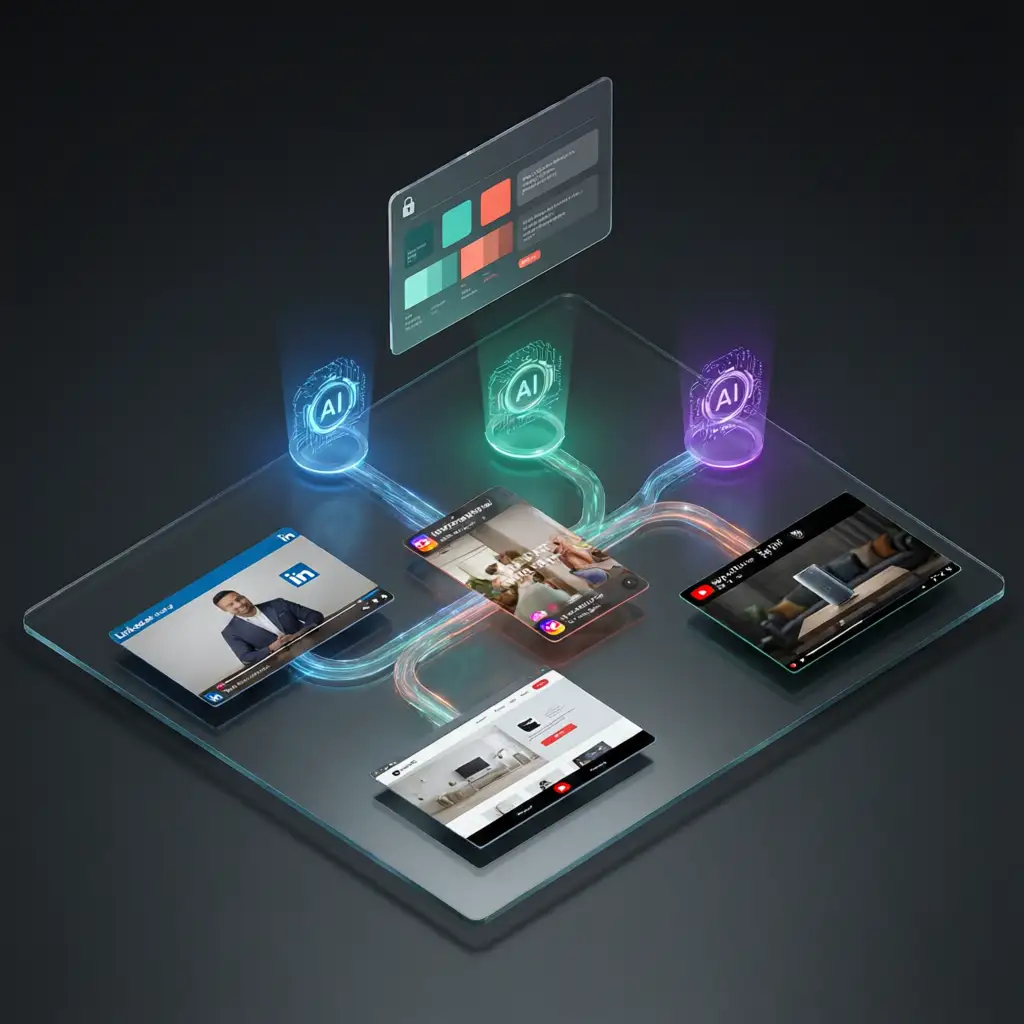
VoooAI's content marketing workflow automation canvas turns a marketing brief into a complete multi-channel video campaign in a single run. You write a brief describing the campaign goal, target audience, and key messaging. The canvas parses the brief, generates a script, builds a storyboard, routes each scene through three specialized AI rendering engines, and exports platform-ready videos for LinkedIn, Instagram, YouTube, and your website — all sharing locked brand elements and requiring zero manual video editing.
Content marketing teams face a production bottleneck that no project management tool can solve. You have a content calendar full of video requirements: product explainers, customer testimonials, thought-leadership clips, social media teasers, webinar recaps, and seasonal campaign spots. Each format needs a different duration, aspect ratio, and narrative structure. Traditionally, this means a video production queue that stretches weeks long, a freelance budget that spirals out of control, or a content calendar that gets pruned to what the team can realistically produce rather than what the strategy demands. VoooAI eliminates the production bottleneck entirely by automating the entire pipeline from brief to published video.
How the Content Marketing Pipeline Works
The canvas starts by ingesting your campaign brief. This can be a structured document with target persona, value proposition, and call-to-action, or a simple one-paragraph description of what the campaign should achieve. The NL2Workflow engine parses the brief into a content strategy layer: it identifies the narrative arc, determines which video formats serve which distribution channels, and generates a master shot list that covers all required deliverables.
From the shot list, the canvas builds a storyboard with scene-level prompts. Each scene is classified by content type and routed to the engine best equipped to handle it. Seedance 2.0 renders product demonstrations, motion graphics, and any scene requiring physical dynamics. Kling O3 handles talking-head segments, customer testimonial recreations, and presenter-style content where facial fidelity matters. Wan2.6 covers atmospheric establishing shots, landscape B-roll, and environmental context scenes. All three engines run in parallel on shared hardware, so a campaign package of 8-12 video assets across four channels completes in under 20 minutes of compute time.
After rendering, the canvas performs channel-specific adaptation: a 60-second LinkedIn professional cut at 16:9, a 30-second Instagram Reel at 9:16 with hook-first pacing, a 15-second YouTube pre-roll, and a square 1:1 website embed version. Each is a distinct render, not a cropped derivative.
Brand Governance at Scale
The locked style sheet system serves a specific function in content marketing: brand governance. Before any frame renders, the canvas locks your brand guidelines into a persistent context — hex color codes, typography weights, logo safe-zone coordinates, approved imagery style, and tone-of-voice markers. Every video across every channel reads from the same style sheet. The result: your LinkedIn thought-leadership clip and your Instagram Reel look like they were produced by the same team on the same day, even if they were generated from different briefs a week apart.
This matters for content marketing specifically because brand inconsistency is the number one reason campaigns look disjointed across channels. A LinkedIn video might use a slightly different blue than the website embed. An Instagram Reel might pick up a different font weight. These drift patterns accumulate over months of production and erode brand recognition. VoooAI's style sheet locking prevents this at the engine level, not the QA level.
Who This Is For
Content marketing teams managing 20-50 video assets per month across multiple channels. B2B companies producing thought-leadership video series alongside product explainers and customer stories. E-commerce brands running seasonal campaigns that require 30-40 video variations across paid social, organic social, email, and website. Agencies managing video content for 5-10 clients who each need channel-specific output. Growth teams who need to A/B-test video hooks and measure which narrative structures drive the highest engagement per channel.
The common pattern is high volume multiplied by channel count multiplied by brand consistency requirements. Manual production breaks down somewhere around 15-20 assets per month. VoooAI's canvas handles 50+ without adding headcount.
Common Pitfalls and Best Practices
Three mistakes content teams make when first automating video production. First, writing vague briefs that try to cover every product feature in one video. A focused brief targeting one persona with one value proposition produces stronger engagement than a generic overview. Write separate briefs for each campaign angle rather than expecting a single video to serve every purpose. Second, skipping the brand guideline upload. Even a simple reference document with hex codes and font weights improves visual accuracy by roughly 40% in internal benchmarks, because the engine has concrete parameters to anchor generation rather than interpreting your text description alone. Third, producing only one version per channel and publishing immediately. The better approach is generating 3-5 hook variations per video per channel, then letting actual engagement data from your analytics platform tell you which narrative structures and opening hooks drive the highest retention and conversion.
Market Context
According to [OpenAI's function calling for automated workflows](https://platform.openai.com/docs) enables multi-step content generation pipelines with structured outputs and reliable JSON parsing for automated video assembly. [Runway ML content generation research](https://research.runwayml.com/) demonstrates that controllable video generation APIs with per-frame style parameters enable automated content marketing pipelines to maintain brand consistency across multi-channel output. [Mordor Intelligence’s serialized content production data](https://www.mordorintelligence.com/industry-reports/anime-market) shows that OTT platforms commissioning 40+ new series annually validates demand for automated content production pipelines
Practical Workflow
Start with your next campaign brief. Upload brand guidelines (or let the canvas extract them from your existing assets). Write a one-paragraph description of the campaign goal. The canvas generates the full video package. Review drafts, regenerate any asset that does not align with brand standards, and export in channel-specific formats. Most content teams find that generating 3-5 hook variations per video per channel and letting engagement data guide final selection produces the strongest campaign performance. For the underlying node architecture, the [Script to Video AI](/script-to-video) hub page walks through every component, and the [best workflow automation software for AI video](/workflow-comparison) comparison covers how VoooAI stacks up against other automation solutions across the full content production pipeline.

Frequently Asked Questions
How does VoooAI's content marketing automation differ from project management tools like Monday.com or Asana?
Project management tools track tasks and deadlines but cannot produce video content. VoooAI's canvas automates the entire production pipeline: brief parsing, script generation, storyboard creation, multi-engine rendering, and channel-specific export — turning a marketing brief into finished video assets in under 20 minutes.
How many video assets can VoooAI produce from a single campaign brief?
A typical campaign brief generates 8-12 video assets across four channels (LinkedIn, Instagram, YouTube, website) in under 20 minutes of compute time. Each asset is a distinct render optimized for its target channel, not a cropped derivative of a master video.
How does the locked style sheet prevent brand inconsistency across channels?
Before rendering begins, the canvas locks brand hex codes, typography weights, logo coordinates, and imagery style into a persistent context that every video across every channel reads from. This prevents the color drift, font inconsistency, and tone mismatch that accumulate across manually produced campaigns.
Can I use VoooAI's canvas for agency-level multi-client content production?
Yes. Each client gets an isolated brand style sheet, so campaigns for different clients never cross-contaminate. Agencies managing 5-10 clients typically produce 30-50 video assets per month per client using batch mode, with each client's brand governance fully separated.
What content types work best with VoooAI's marketing workflow automation?
Product explainers, customer testimonials, thought-leadership clips, social media teasers, webinar recaps, seasonal campaign spots, and A/B hook variations all work well. The canvas excels with any format that requires the same core message adapted across multiple channels with different duration and aspect ratio requirements.