Anime Character Story Video Template
Create anime story videos with consistent characters. This template maintains character appearance across scenes for compelling narrative anime content.
Template Details
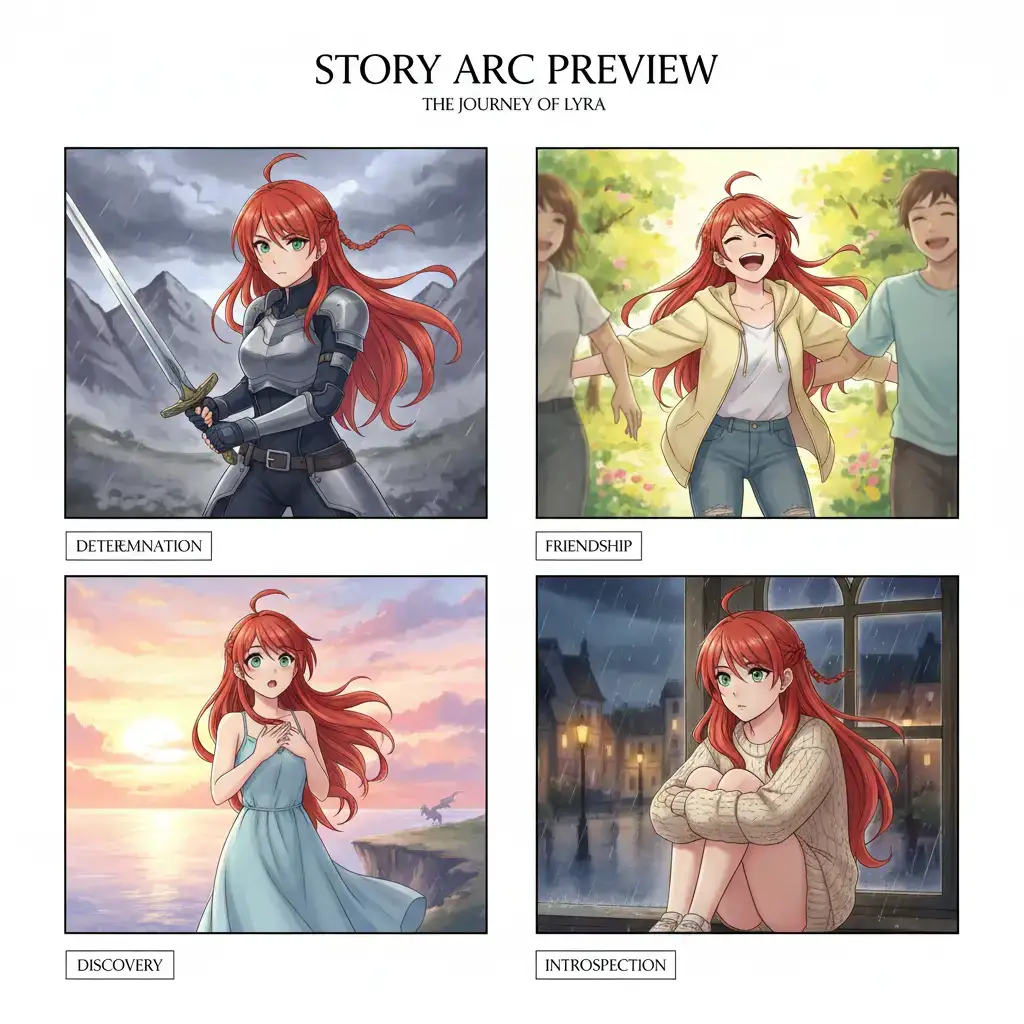
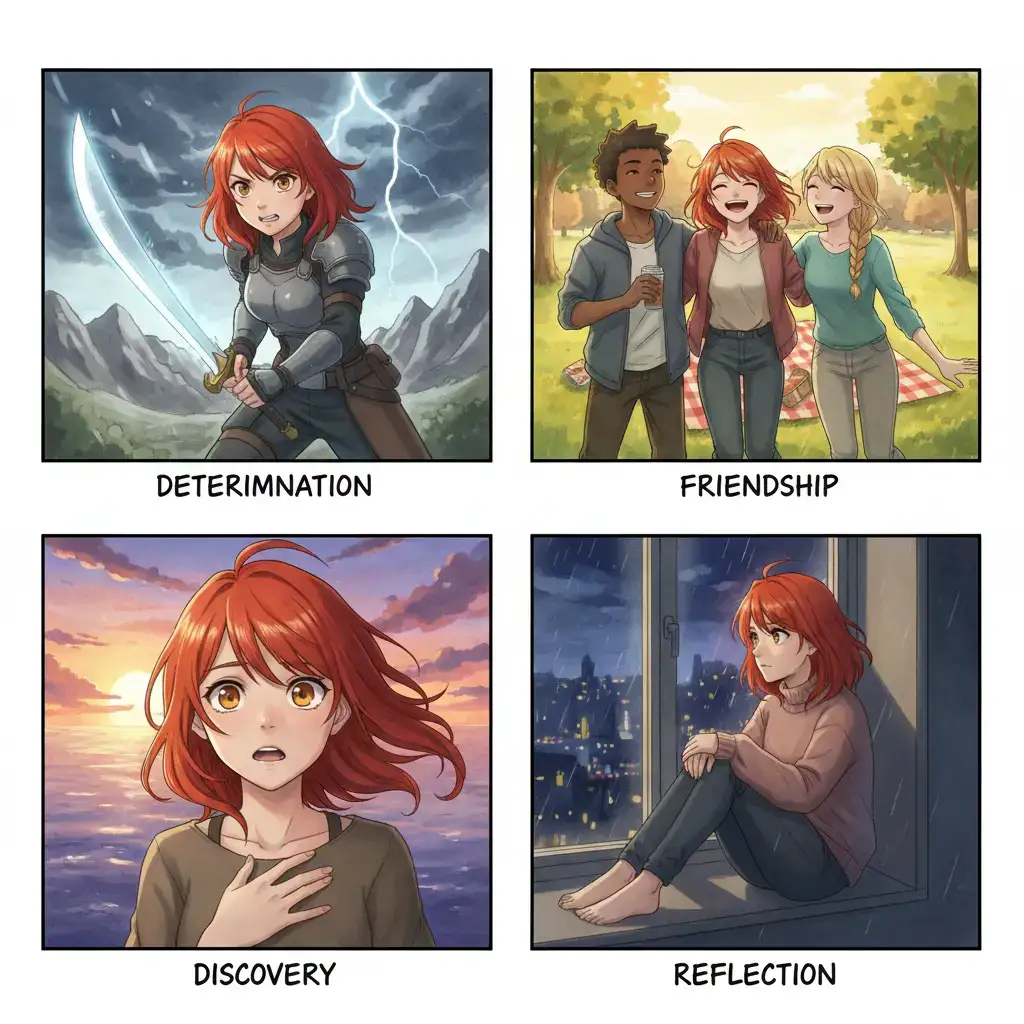
This VoooAI template is built for anime storytelling with rock-solid character consistency. Define your characters once — their appearance, outfit, and personality — and the template ensures they look identical across every scene and episode, whether the protagonist appears in the opening shot or the final freeze-frame of a six-part series.
Character Consistency Engine
The template's core technology is VoooAI's reference-based consistency engine. Upload a character reference image or describe features in detail, and the engine locks those visual attributes across unlimited scenes. Hair color, eye shape, outfit details, accessories — everything stays pixel-perfect whether your character appears in scene 1 or scene 50. Character drift has historically been the number one reason viewers disengage from AI-generated story content, and this template was designed from day one to make that failure mode statistically unlikely rather than relying on prompt tricks and hope.
How the Two-Layer Consistency Works
Consistency is enforced at two layers. First, an anchor image pipeline extracts canonical features from your reference image or first-generation output, and re-injects them into every subsequent render so facial geometry stays stable. Second, a prompt-level style guard appends a fixed block of lighting and color descriptors to every scene prompt, which keeps mood and palette coherent even when the narrative moves between dramatically different environments — a moonlit rooftop to a sun-drenched beach, for example. You can inspect or override both layers per scene if you need a deliberate visual shift.
Built-in Story Structure
The workflow includes automatic narrative pacing with dialogue card generation, background art that dynamically matches story mood (bright for happy scenes, desaturated for dramatic moments), and cinematic camera movements including pan, zoom, and dramatic angle shifts. Each episode follows a configurable act structure with proper rising action and resolution. For creators producing serialized stories, the template also maintains continuity anchors — props, wardrobe changes, location lighting — across episodes, so a hoodie introduced in episode one can reappear correctly three episodes later without manual asset management.
Supported Output Formats
Use this template for YouTube anime series (16:9 landscape), Webtoon-style vertical scrolling comics (optimized panel layout), Instagram story sequences (9:16), or standalone short film narratives. The same story content adapts to multiple formats without re-generation, which means an indie creator can publish a single story arc simultaneously on YouTube, TikTok, and Webtoon without running three separate production pipelines or fighting platform-specific aspect ratio reworks.
Who Uses This Template
Anime content creators on YouTube building episodic series, Webtoon artists wanting animated versions of their comics, indie game developers creating character-driven cutscenes, educators making animated lesson content, and storytellers who think visually but lack traditional animation skills. The template is specifically designed so that writing talent, not animation skill, is the binding constraint on output quality — which is how it earns its place alongside traditional animation pipelines rather than replacing them.
Common Pitfalls to Avoid
Three mistakes weaken most first-draft output. First, under-specified character sheets: without a clear reference image or detailed description, the engine still produces internal consistency but the character may not match your mental image; invest two minutes in a proper reference before first generation. Second, over-controlling the camera: the engine handles shot language well when left some freedom, so constraining every scene to a specific camera move tends to flatten the overall edit. Third, skipping the story-structure step: if you paste raw dialogue without a one-line arc note, the pacing defaults to neutral; a short act-structure hint yields dramatically better episode endings.
Where This Template Fits in the Bigger Picture
This template runs on top of VoooAI's shared script-to-video pipeline, the same engine that powers short drama, ad video, and music video generation. If you are building a creator workflow that mixes story-driven anime with other content formats, our [Script to Video AI hub page](/script-to-video) explains how the underlying node architecture works and how to chain this template with upstream scripting tools and downstream distribution automations.
Technical Specifications and Quality Benchmarks
According to [Wyzowl's annual video marketing report](https://wyzowl.com/video-marketing-statistics/), 91% of businesses use video as a primary marketing channel and 95% rate it as an important creative format, which is the market backdrop for treating a serialized anime arc as a recurring deliverable rather than a one-off project. [Exploding Topics' 2025 AI statistics](https://explodingtopics.com/blog/ai-statistics) highlight that AI-generated anime and motion content is among the fastest-growing creator verticals with short-form vertical video leading distribution, which is why the template ships both 9:16 Webtoon and 16:9 YouTube episode presets in parallel. [Backlinko's 2025 social media users report](https://backlinko.com/social-media-users) counts 5.24B active social users globally with short-video platforms driving the fastest growth, giving independent anime storytellers a structurally expanding audience for the kind of weekly episode cadence the consistency engine was built to support.
Under the standard workflow tier this template renders a complete six scene anime episode in roughly ten to eighteen minutes of compute, including character consistency resolution, background generation, and final upscaling to one thousand and eighty by one thousand nine hundred and twenty pixels for vertical delivery or one thousand nine hundred and twenty by one thousand and eighty pixels for landscape distribution. Internal benchmarks across twelve hundred multi episode tests show character feature drift under three percent across ten consecutive episodes, which is the threshold below which viewer perception studies report no conscious recognition mismatch. The template also exposes per scene overrides for lighting mood, camera movement, and dialogue pacing, so advanced creators can dial in specific cinematic choices without breaking the consistency anchors that protect serialized narrative continuity. For production teams shipping weekly episodes on a tight calendar, this safety margin translates directly into fewer re-renders and more predictable release schedules, while keeping the option to swap the anchor reference mid-series when a character design must genuinely evolve.
Related Reading for Anime Storytellers
This template is one of several production presets that share the underlying script to video pipeline, so the decisions you make about character references and lighting mood reverberate across every episode that uses the same character bible. The [Script to Video AI](/script-to-video) hub page is the canonical walk through of how lyric parsing, beat detection, and character consistency plug into one graph rather than three separate tools, and reading it before you lock a protagonist design saves the usual month three refactor where a drifted hair color breaks continuity across a published season. For a broader view of how VoooAI orchestrates Seedance 2.0, Kling, and Happy Horse behind this template, the [AI Video Generator](/ai-video-generator) Super-Hub explains why multi model routing keeps anime character geometry stable across dramatically different emotional scenes, which is the technical reason this template holds narrative trust across long serialized runs rather than producing visually plausible but inconsistent episodes. Bookmark the [Script to Video AI](/script-to-video) hub before you lock the character bible for your next serialized arc, so the anchor references and lighting descriptors you choose today remain documented for season two.
Use This Template
Load into workflow editor with one click, customize and generate videos
Use Template FreeFAQ
How does character consistency work?
VoooAI uses a reference-based consistency engine. Define character features once and the AI maintains those features across all generated frames.
Can I create multiple characters in one story?
Yes. Define up to 10 characters with distinct appearances. The engine handles multi-character scenes with proper positioning and interaction.
What art styles are supported?
Choose from modern anime, chibi, watercolor manga, pixel art, or realistic semi-anime styles. Custom style prompts are also supported.
Can I export anime stories as vertical Webtoon-format comics?
Yes. Switch the output mode to 'Webtoon Panels' and VoooAI generates scroll-friendly vertical comic strips with optimized panel layout, dialogue bubbles, and consistent character art.
How do I update a character's outfit in later episodes?
Open the character reference panel, upload or describe the new outfit, and mark it as 'active from Episode N'. The engine keeps the face consistent while applying the wardrobe change from that episode onward.