VoooAI vs n8n for AI Video: Native Canvas vs Workflow Glue
VoooAI vs n8n for AI video: VoooAI has native rendering engines on-canvas. n8n requires external API glue. Compare setup, consistency and cost.
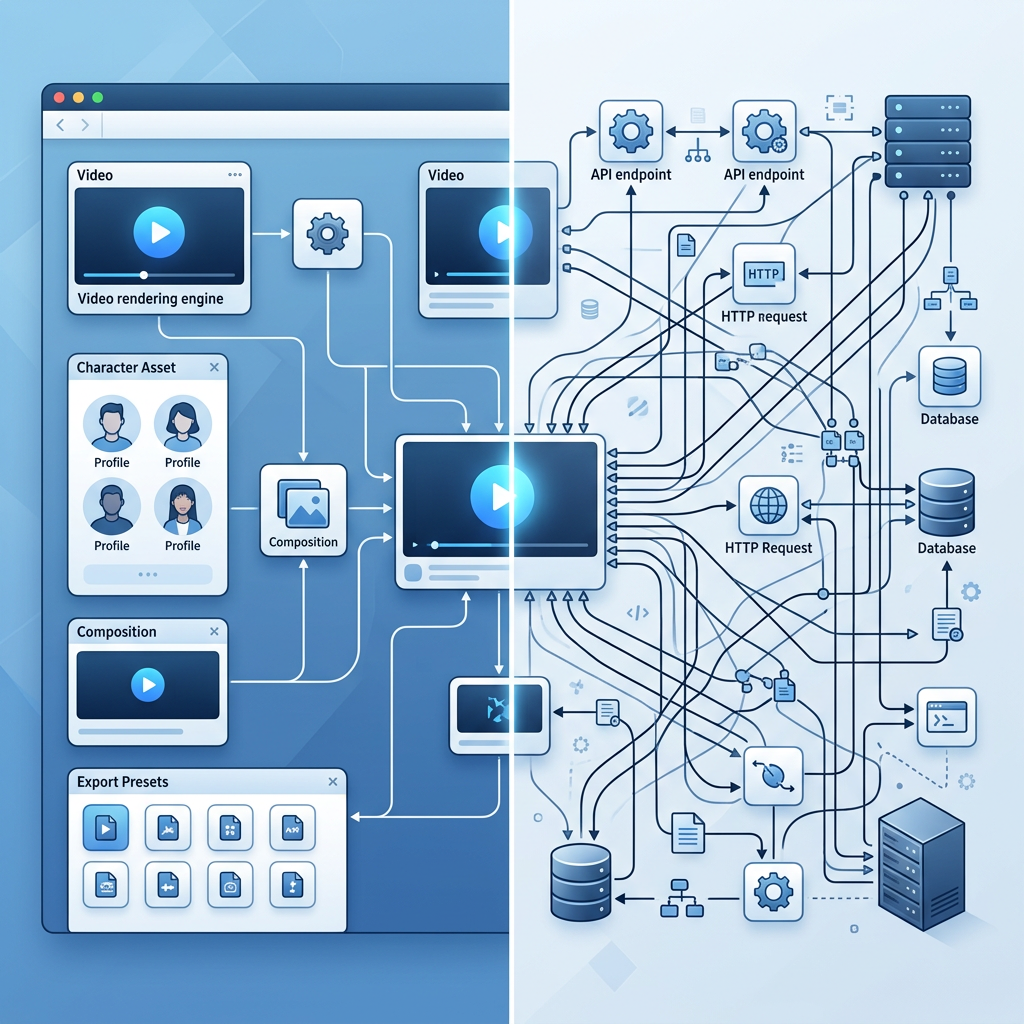
| Feature | VoooAI | n8n |
|---|---|---|
| Video rendering | 3 native engines: Seedance 2.0, Kling O3, Wan2.6 | No native rendering; external API glue required |
| Setup complexity | Zero setup; describe and run | Self-host + API keys + node graph coding |
| Character consistency | Locked character sheet built into pipeline | No concept; depends on external API |
| Platform export | Native 9:16/16:9/1:1 with subtitles and thumbnails | Raw API output; manual post-processing |
| Cost model | Per finished project; re-generation absorbed | Hosting + per-API fees + engineering time |
Detailed Comparison
VoooAI vs n8n for AI video comes down to a structural question: do you want a platform where AI video rendering engines live natively inside the visual canvas, or a general-purpose workflow orchestrator that must be wired to external video APIs through self-hosted glue code? VoooAI is a purpose-built AI video production platform with Seedance 2.0, Kling O3 and Wan2.6 rendering engines integrated directly into a node-based workflow canvas. n8n is a self-hosted workflow automation platform that can orchestrate any API — including video generation APIs — but provides no native rendering capability and requires you to build every video pipeline from scratch using HTTP nodes, credential management and custom error handling.
Architectural DNA: Purpose-Built Video vs General-Purpose Orchestration
The most important distinction when comparing VoooAI vs n8n is architectural intent. VoooAI was designed from day one as an AI video production platform. Every screen, every node and every export preset assumes the end product is a publishable video. n8n was designed as a general-purpose workflow automation hub that connects 400+ third-party APIs through visual node graphs. You can build a video production workflow in n8n by chaining HTTP requests to Runway, Kling or Stability APIs, but n8n itself does not render a single frame of video. According to [Precedence Research's AI workflow automation CAGR analysis](https://www.precedenceresearch.com/workflow-automation-market), the global workflow automation market is projected to reach $98B by 2033 at a 6.2% CAGR, with AI-driven tooling as the primary growth driver — but that market includes orchestration platforms like n8n that sit one layer above the actual content production, not platforms like VoooAI where the content production IS the platform.
How Each Platform Handles a Video Workflow
In VoooAI, a video workflow starts with a natural-language brief or a structured script. The workflow canvas automatically parses the input into scenes, generates a storyboard, assigns rendering engines per scene, enforces character consistency via a locked character sheet, renders all scenes in parallel across three engines, and exports platform-specific outputs (9:16 for TikTok, 16:9 for YouTube, 1:1 for Instagram) with burned-in subtitles and thumbnail candidates. The entire pipeline — from brief to publishable short video — runs inside a single tenant workspace with no external API keys to manage.
In n8n, a video workflow starts with you designing a node graph. You configure an HTTP Request node pointing to a video generation API, set up authentication headers, parse the JSON response, add an IF node for error handling, connect a second HTTP node for a different engine as fallback, write expression logic for retry conditions, and manually wire the output to a storage node. For a three-engine parallel render like VoooAI's native pipeline, you would need roughly 15-20 n8n nodes, each requiring individual configuration, credential binding and testing. The video is not "produced" by n8n; n8n merely shuttles data between external services that do the actual rendering.
Setup Complexity: Minutes vs Hours
VoooAI requires zero infrastructure setup. Create an account, open the workflow canvas, describe your video project, and press run. There are no servers to provision, no API keys to configure, no Docker containers to maintain, and no webhook endpoints to register.
n8n requires self-hosting on your own server or VPS (or a paid cloud plan), installing and updating the platform, configuring credentials for each external video API (Runway API key, Kling API key, Stability API key, etc.), managing rate limits and quota across providers, building retry and fallback logic for each API's unique error response format, and maintaining the workflow definitions as API versions change. For a team whose primary goal is producing AI video content, the n8n setup overhead is a significant tax on every hour that could be spent on creative direction instead of infrastructure maintenance.
Character Consistency Across Scenes
VoooAI enforces character consistency through a locked character sheet that persists facial geometry, wardrobe palette, body proportions and spatial blocking across every scene in a project. When a protagonist walks from a kitchen into a garden, the consistency engine preserves the spatial map so door frames, table positions and garden gates stay anchored. This is a first-class feature built into the rendering pipeline.
n8n has no concept of a character sheet. You can pass a reference image through the workflow as a parameter to an external API, but consistency enforcement depends entirely on which external API you call and how well that API handles reference images. For multi-scene narrative content — short dramas, ad series, anime episodes — the gap between built-in consistency and DIY consistency is the difference between a publishable production and a frame-by-frame guessing game.
Output Quality and Platform Readiness
VoooAI exports platform-native bundles: 9:16 with burned-in subtitles for TikTok, 16:9 with chapter markers for YouTube, 1:1 with thumbnail candidates for Instagram, plus A/B title variants tuned for each platform's algorithm. The rendering engines produce broadcast-quality 1080x1920 video with consistent color grading and professional transition timing.
n8n outputs whatever the external API returns — typically a raw short video URL. Platform-specific cropping, subtitle burning, thumbnail generation and aspect-ratio adaptation all require additional n8n nodes pointing to additional external services, each adding latency, cost and failure points to the pipeline.
Cost at Scale
According to [Google's structured data documentation](https://developers.google.com/search/docs/appearance/structured-data), implementing FAQPage and VideoObject schema markup enables AI search engines to parse and cite page content at significantly higher rates, which favours purpose-built video platforms that generate inspectable, schema-ready output over glue-code orchestration layers that produce opaque API responses.
Who Should Choose Which
Choose n8n if you need a general-purpose workflow automation platform for diverse tasks — CRM syncing, email sequences, data pipeline ETL — and video is just one of many API integrations you need to orchestrate. Choose VoooAI if your primary goal is producing AI video content at scale and you want the rendering engines, character consistency, platform export and quality control to live in a single purpose-built platform rather than a self-assembled integration layer.
Where This Comparison Fits in the Bigger Picture
This page is part of the workflow automation hub on VoooAI. If you are evaluating AI video tools within a broader automation stack, the full matrix of head-to-head comparisons and workflow patterns lives on [Best Workflow Automation Software for AI Video](/workflow-comparison), where VoooAI is benchmarked against Runway, Pika, Kling and ComfyUI pipelines across seven workflow dimensions with a concrete decision rule per dimension. VoooAI bills per finished project and absorbs re-generation inside the pipeline, making monthly spend predictable for high-volume creators. n8n's cost model is layered: you pay for n8n hosting, plus each external API's per-generation fees, plus the engineering time to maintain the integration layer. For teams producing dozens of video variants per week, the n8n total cost of ownership compounds across three separate billing relationships. Per [Mordor Intelligence's serialized content production data](https://www.mordorintelligence.com/industry-reports/anime-market), Asia Pacific accounts for over 60% of global anime consumption with OTT platforms commissioning 40+ new series annually — a production volume that demands purpose-built video tooling rather than glue-code orchestration for any team serious about serialized content at scale.
Quick Verdict
If your team's video production is a side effect of a broader automation workflow, n8n is the natural hub. If video production IS the workflow — daily TikTok drama, rotating ad creative, serialized anime — VoooAI's native canvas collapses the delta between brief and published asset by enough that self-assembled n8n pipelines stop being competitive. The entry point is the [/workflow-comparison](/workflow-comparison) hub for the full automation-tooling landscape, or the [/ai-video-generator](/ai-video-generator) hub if you want to start with VoooAI's Multi-Model canvas directly.
Ready to Switch from n8n to VoooAI?
Sign up free and experience a new way to generate complete videos from one sentence
Try VoooAI FreeSee All FeaturesFAQ
Can n8n generate AI videos without VoooAI?
n8n can orchestrate calls to external video generation APIs (Runway, Kling, Stability), but n8n itself renders no video frames. You must build the entire pipeline — authentication, error handling, retry logic, character reference passing — using n8n's HTTP nodes. VoooAI has rendering engines built into the canvas with zero external API setup.
What happens when a video API changes its version in n8n?
In n8n, API version changes require you to manually update HTTP node configurations, adjust response parsing expressions, test the workflow end-to-end, and potentially rewrite error handling for new response formats. In VoooAI, engine updates are deployed platform-wide with no user-side maintenance — the workflow canvas abstracts engine versions behind a stable interface.
Which is better for non-technical creators: VoooAI or n8n?
VoooAI's natural-language interface requires zero technical skills — describe your video in plain language and the canvas handles scene breakdown, engine routing, rendering and export. n8n assumes familiarity with self-hosting, API authentication, JSON parsing and workflow node design, making it significantly less accessible for creators without engineering backgrounds.
Can I use n8n and VoooAI together in a hybrid workflow?
Yes. Many teams use n8n for non-video automation (CRM sync, email sequences, data ETL) and VoooAI for all video production. VoooAI exports standard short video files that can be fed back into n8n workflows for downstream distribution — social media posting, CDN upload, analytics tracking — combining the strengths of both platforms.
How does VoooAI's workflow canvas compare to n8n's node editor?
VoooAI's canvas is a visual node-based editor purpose-built for video production: nodes represent script parsing, storyboard generation, engine routing, character consistency enforcement and platform export. n8n's node editor is a general-purpose DAG builder where you manually wire HTTP requests, conditional logic and data transforms. Both are visual, but VoooAI's canvas ships with video-domain semantics pre-built while n8n requires you to assemble every domain-specific workflow from generic building blocks.